SKIBA F1 PRO
User Manual
Read this manual carefully before use to ensure safe and correct operation.
Contents
Section 1
Two Buttons. Total Control.
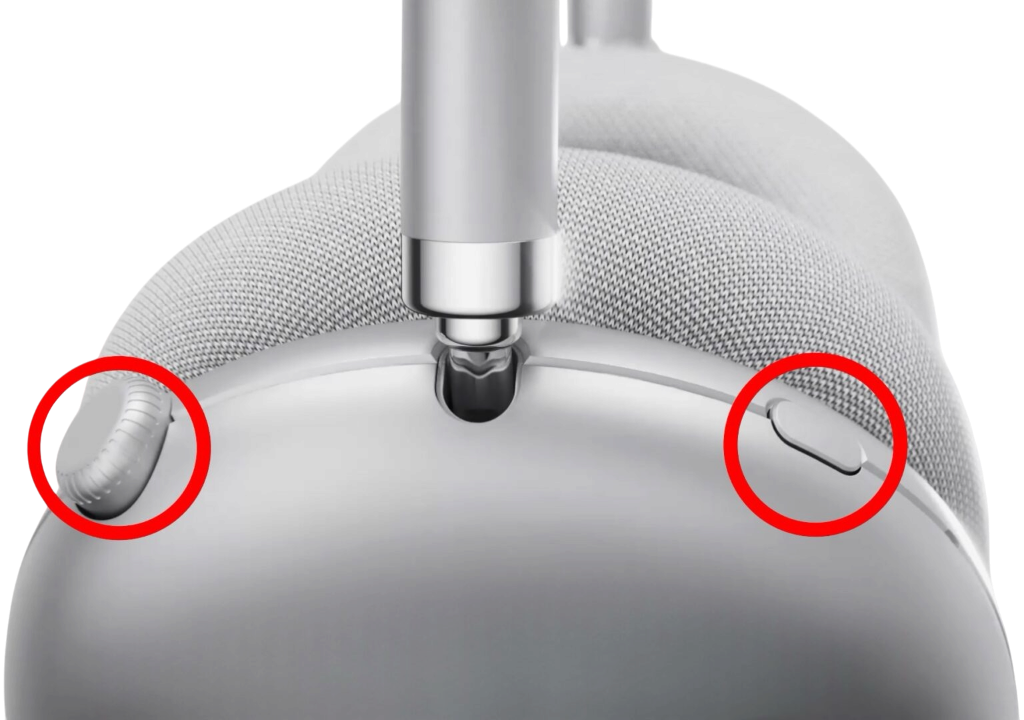
The F1 PRO features two control buttons on the right ear cup.
Rotary Button (Rear)
Multifunctional Digital Crown
The rear button on the right ear cup is a rotating multifunctional control wheel. Rotate or press for playback, volume, power, and call management.
ANC Button (Front)
Mode Control Button
The front button on the right ear cup controls all listening modes and special features including ANC, Transparency, Spatial Audio, and Gaming Mode.
Section 2
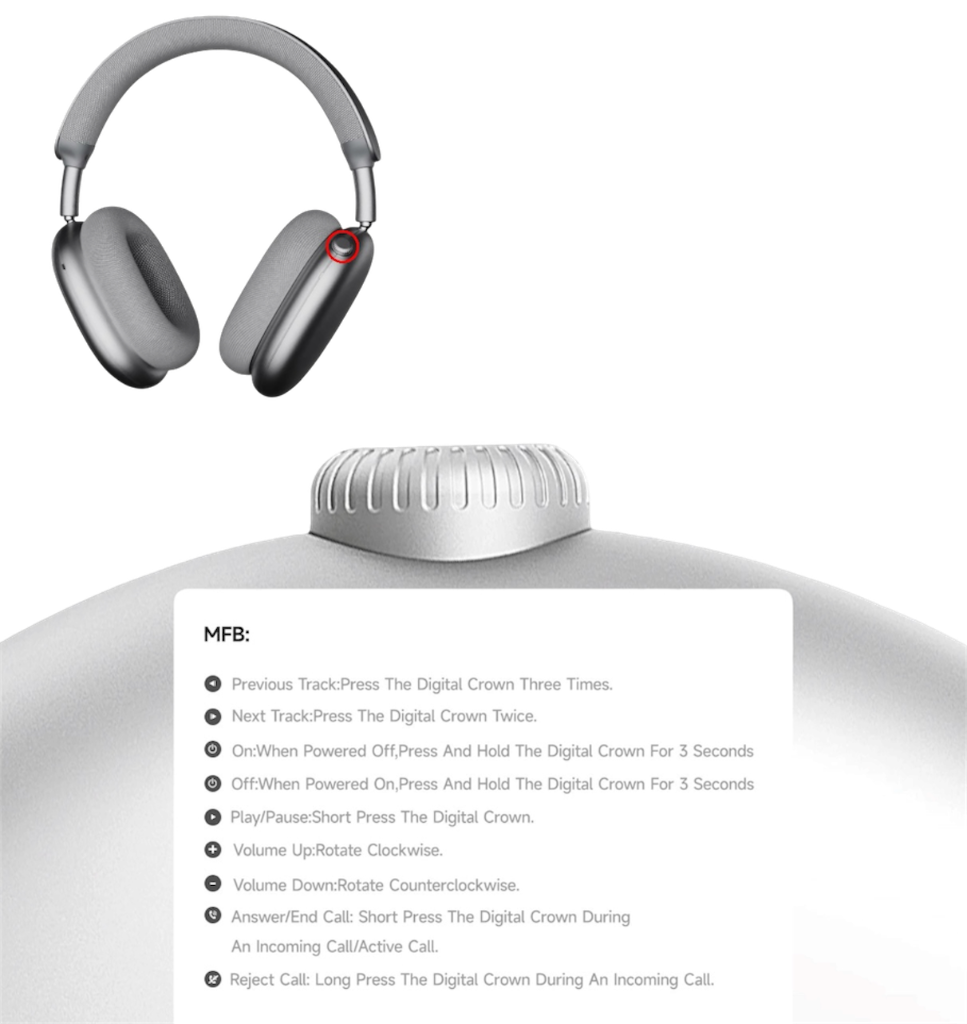
Rotary Button
Rear button on right ear cup — rotate or press for full control.
Previous Track
Press 3 times
Next Track
Press 2 times
Power On
Hold 3 seconds (when powered off)
Power Off
Hold 3 seconds (when powered on)
Play / Pause
Press once
Volume Up
Rotate clockwise
Volume Down
Rotate counterclockwise
Answer / End Call
Press once during a call
Reject Incoming Call
Hold during incoming call
Section 3
ANC Button
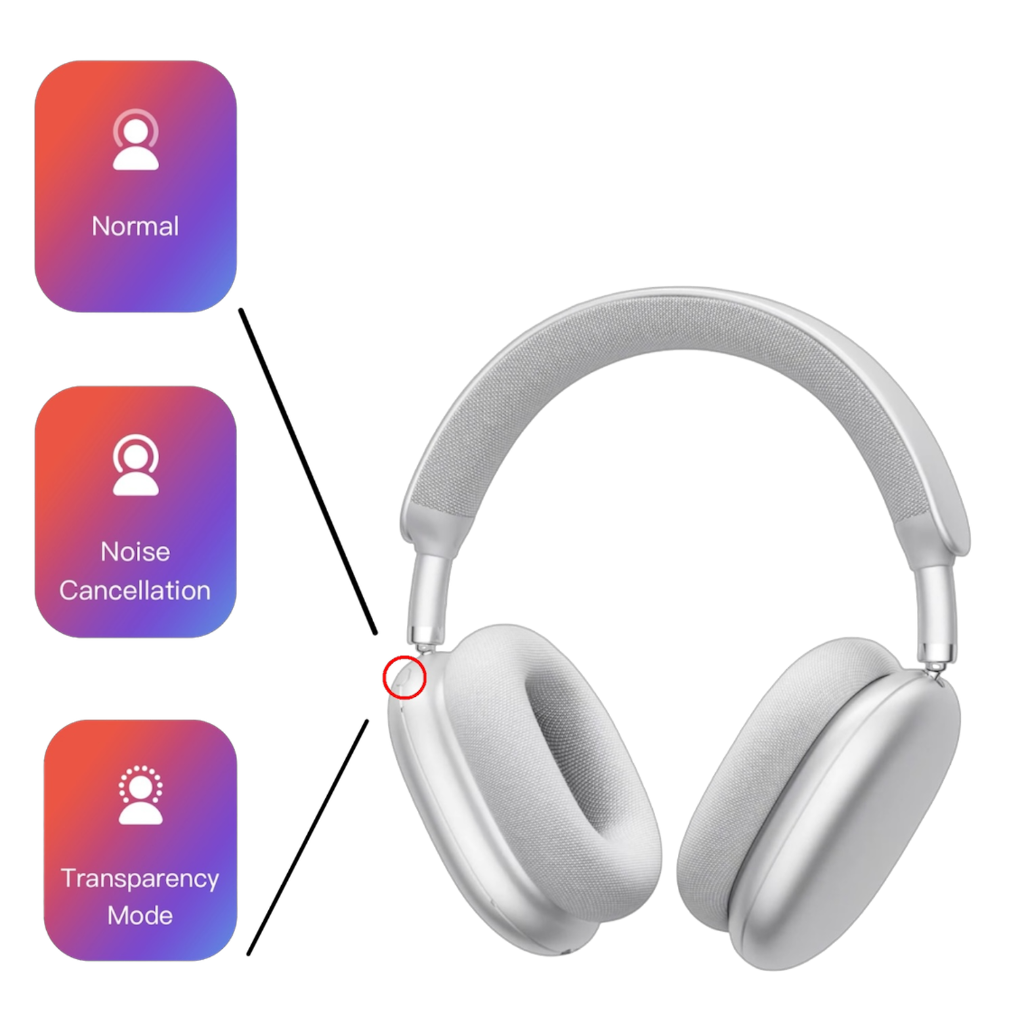
Front button on right ear cup — cycles through listening modes.
Listening Modes
Press once to cycle between Normal, Active Noise Cancelling, and Transparency Mode.
Tap a mode above or they cycle automatically
Advanced Features
Unlock additional modes with consecutive presses.
Spatial Sound (Concert Mode)
Press ANC button 3 times consecutively
Head Tracking Mode
Press 3 more times after Spatial Mode is active
Deactivate All Modes
Press ANC button 3 times again while a mode is active
Low Latency Mode (Gaming)
Press ANC button 2 times consecutively
Section 4
Mode Guide
Understanding your listening modes at a glance.
Normal Mode
Standard stereo sound. No noise processing active.
Active Noise Cancellation (-52dB)
Industry-leading -52dB ANC eliminates background noise across all frequencies.
Transparency Mode (+52dB)
Hear your surroundings clearly while keeping music playing. Perfect for safety awareness.
Spatial Sound / Concert Mode
Immersive 3D spatial audio effect. Simulates concert hall acoustics around you.
Head Tracking
Personalized spatial audio that adapts to your head movements in real time.
Low Latency Mode
0.02s ultra-low latency for perfect audio-video sync. Ideal for gaming and video.
Section 5
Headphone Overview
Visual guide to controls and features.
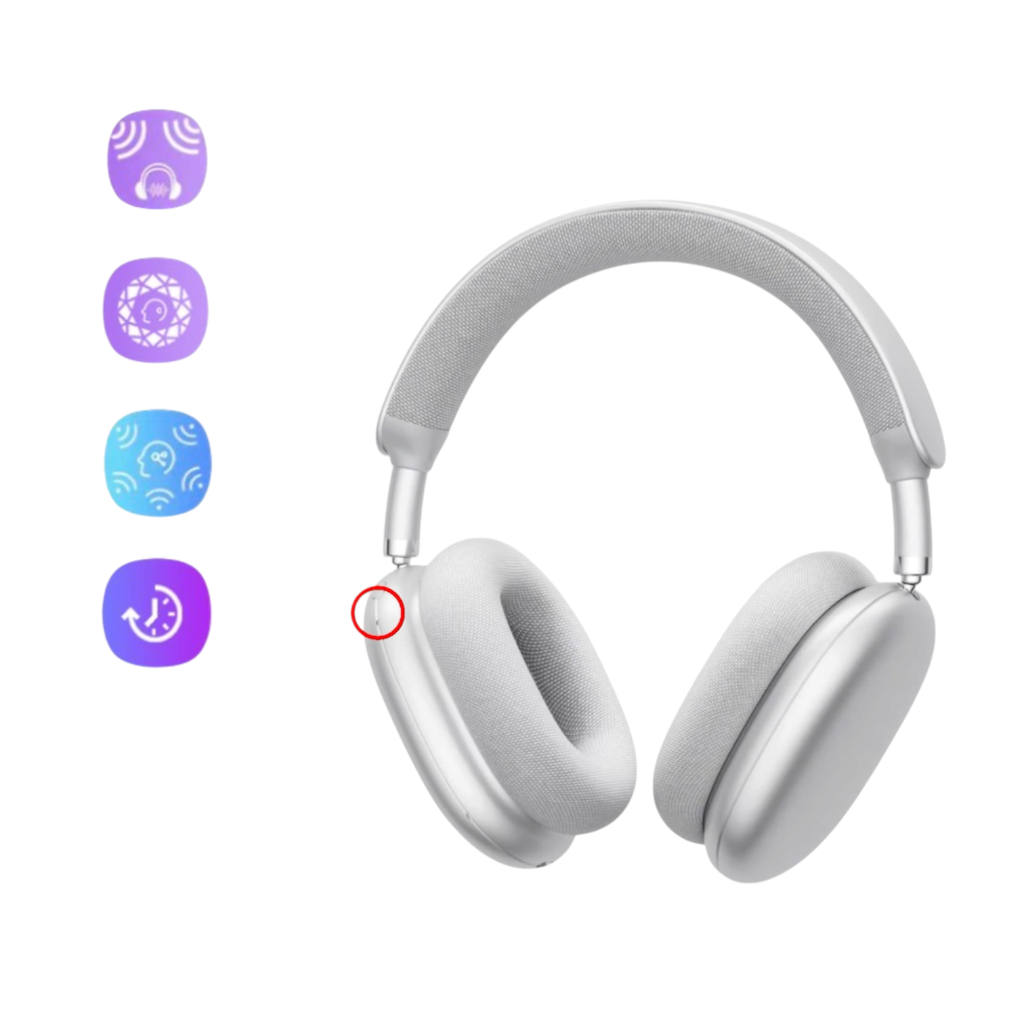
Headphone overview — spatial & head-tracking modes
ANC button — Normal, Noise Cancellation, Transparency Mode
Right ear cup — Rotary button (left) & ANC button (right)
Rotary button close-up & MFB control reference
Section 6
Pairing & Connection
Connect your F1 PRO to any Bluetooth device in seconds.
- 1
Power on the headphones by holding the Rotary Button for 3 seconds.
- 2
The headphones will enter pairing mode automatically on first use.
- 3
On your device, search for "SKIBA F1 PRO" in Bluetooth settings.
- 4
Select the device to pair. Connection is confirmed by an audio cue.
- 5
For dual device connection: pair a second device while connected to the first.
- 6
To switch between paired devices: disconnect from one and connect to the other.
Section 7
Charging
1200mAh battery. 140h playtime. Charge anxiety: eliminated.
Type-C Charging Port
Bottom of right ear cup
- 1
Connect Type-C cable to the charging port on the bottom of the right ear cup.
- 2
Connect the other end to a USB power source.
- 3
LED indicator will light up during charging.
- 4
Full charge takes approximately 2.5 hours.
- 5
Do not use while charging for optimal battery life.
1200mAh
Battery Capacity
2.5h
Full Charge Time
20,000
Charge Cycles
Section 8
Care & Maintenance
Keep your F1 PRO performing at its best.
🧼 Ear Cushions
The fabric ear cushions are detachable and washable.
- 1
Gently pull the ear cushion away from the magnetic attachment points.
- 2
Hand wash with mild soap and cold water.
- 3
Allow to air dry completely before reattaching.
- 4
Do not use a tumble dryer or direct heat.
- 5
Reattach by aligning the magnetic points and pressing gently until secure.
🧽 Headphone Body
Maintain the premium finish of your headphones.
- 1
Wipe with a soft, slightly damp cloth.
- 2
Do not use alcohol, solvents, or abrasive materials.
- 3
Store in the provided carry pouch when not in use.
- 4
Keep away from extreme heat, moisture, and direct sunlight.
Section 9
What's in the Box
Everything you need, nothing you don't.
"We offer you an unforgettable musical experience — one that will stay in your heart like a beautiful melody."
— The SKIBA Team
SKIBA F1 PRO — Official User Manual · © 2026 SKIBA Audio. All rights reserved.

SKIBA
AUDIO
Engineering the Future of Sound.
Your data, your choice
GDPR · EU 2016/679 · ePrivacy Directive
SKIBA uses cookies to personalize your experience and send exclusive offers.